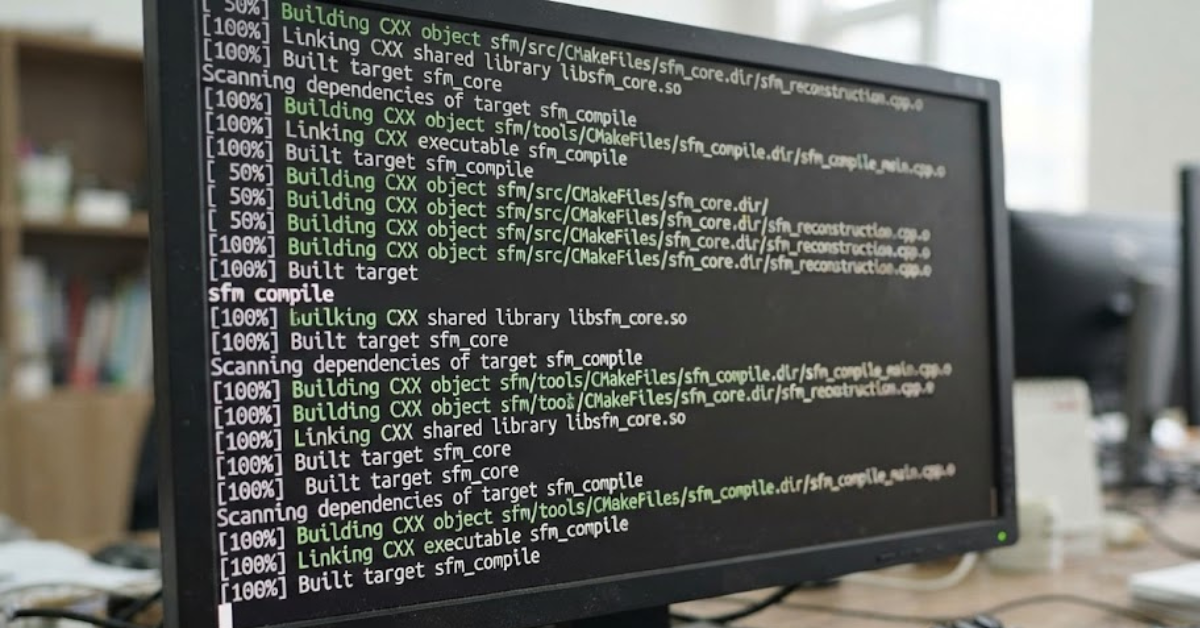
If you’ve spent any time creating animations or custom content in Source Filmmaker (SFM), you’ve probably come across the term SFM compile. Whether you’re importing a custom model, building a map, or preparing textures for animation, compiling is one of the most important steps in the workflow.
For beginners, the process can seem intimidating because it involves multiple tools, file formats, and command-line utilities. Fortunately, once you understand how SFM compile works, it becomes much easier to troubleshoot errors and create assets that work smoothly inside Source Filmmaker.
This guide explains the SFM compile process, the tools involved, common compilation problems, and practical tips to improve your workflow.
What Is SFM Compile?
SFM compile refers to the process of converting raw project files into formats that Source Filmmaker can read and use efficiently.
Depending on what you’re creating, compiling may involve:
- 3D models
- Textures
- Materials
- Maps
- Animations
- Physics files
The compilation process transforms editable source files into optimized game-ready assets.
Why Is Compiling Necessary?
Source Filmmaker is built on Valve’s Source Engine, which uses specific file formats for performance and compatibility.
Instead of importing modeling files directly, SFM requires compiled assets.
Compiling helps:
- Optimize performance
- Reduce loading times
- Improve compatibility
- Generate physics data
- Create collision models
- Prepare materials for rendering
Without compiling, most custom assets won’t function correctly inside SFM.
Understanding the SFM Compile Workflow
The exact workflow depends on the asset type, but a typical SFM compile process follows several stages.
Step 1: Create the Asset
Artists usually begin in 3D software such as:
- Blender
- Autodesk Maya
- 3ds Max
Here, they create:
- Character models
- Props
- Weapons
- Environmental objects
Step 2: Prepare Source Files
Before compiling, you’ll need supporting files such as:
- Meshes
- UV maps
- Textures
- Material definitions
- Skeletons (for animated models)
Proper organization helps prevent compile errors later.
Step 3: Compile the Asset
Specialized Source Engine tools convert your source files into formats recognized by SFM.
The compiler checks:
- Geometry
- Materials
- Bone structures
- Animations
- Physics settings
If errors are detected, the compiler usually generates a log explaining what needs to be fixed.
Step 4: Test Inside Source Filmmaker
Once compiled, import the asset into Source Filmmaker and verify:
- Materials display correctly.
- Animations work properly.
- Textures load successfully.
- Lighting behaves as expected.
- Physics perform correctly.
Testing early saves time during production.
Common File Types Used During SFM Compile
Several file formats are commonly involved in Source Filmmaker workflows.
These may include:
- QC – Compile script
- SMD – Model data
- DMX – Extended model format
- VTF – Texture files
- VMT – Material definitions
- MDL – Compiled model
- PHY – Physics data
- VTX – Model optimization data
Each file serves a specific purpose during compilation.
Common SFM Compile Errors
Even experienced creators occasionally encounter problems during compilation.
Here are some of the most frequent issues.
Missing Materials
Symptoms include:
- Purple textures
- Checkerboard surfaces
Possible causes:
- Incorrect material paths
- Missing texture files
- Improper folder structure
Missing Models
If SFM cannot locate a compiled model, it may display an error instead of loading the asset.
Common causes include:
- Incorrect installation directory
- Missing MDL files
- Compilation failure
Bone Errors
Animated models require correctly configured skeletons.
Common problems include:
- Missing bones
- Duplicate bone names
- Invalid bone hierarchy
Texture Problems
Textures may fail to load because of:
- Unsupported formats
- Incorrect VMT settings
- Missing VTF files
Verifying file paths often resolves these issues.
Best Practices for Successful SFM Compile
Following good habits reduces errors and improves project organization.
Organize Project Files
Use consistent folder structures for:
- Models
- Materials
- Textures
- Animations
- Source files
A clean project is easier to maintain.
Name Files Clearly
Avoid confusing filenames.
Instead of:
model1_final_new2_fixedUse descriptive names such as:
robot_guardConsistent naming simplifies troubleshooting.
Test Frequently
Compile and test your work regularly rather than waiting until the entire project is complete.
Small fixes are much easier than large-scale debugging.
Read Compile Logs
Compilation logs often identify:
- Missing files
- Syntax errors
- Invalid parameters
- Material issues
Learning to interpret these messages is one of the fastest ways to improve your workflow.
SFM Compil vs. SFM Compile
Some users search for SFM compil, which is simply a common spelling variation or truncated version of SFM compile.
Both terms generally refer to the same compilation process used for preparing Source Filmmaker assets.
Similarly, sfmcompile is often used as a single-word search phrase when looking for tutorials, tools, or troubleshooting guides.
Tips to Speed Up Your Workflow
If you regularly work with Source Filmmaker, these habits can save time.
- Keep backups of working projects.
- Organize textures before compiling.
- Test models incrementally.
- Document successful compile settings.
- Use consistent folder naming.
- Validate materials before importing.
- Review compiler logs after every build.
Small improvements quickly add up over larger projects.
Frequently Asked Questions
What is SFM compile?
SFM compile is the process of converting source files into formats that Source Filmmaker and the Source Engine can use for rendering, animation, and gameplay assets.
Why does my SFM compile fail?
Compilation can fail because of missing textures, incorrect file paths, invalid QC scripts, missing bones, unsupported file formats, or syntax errors.
What files are created during compilation?
Depending on the asset, compiling may generate files such as MDL, VTX, VVD, PHY, VMT, and VTF.
Is SFM compil different from SFM compile?
No. “SFM compil” is simply a shortened or misspelled version commonly used in search queries.
What does sfmcompile mean?
“SFMCompile” generally refers to the same Source Filmmaker compilation process or related tools used to prepare custom assets.
How can I reduce compile errors?
Maintain organized project folders, use correct file paths, validate textures and materials, follow Source Engine file conventions, and carefully review compiler logs.
Conclusion
Understanding SFM compile is an essential skill for anyone creating custom content in Source Filmmaker. Although the process may seem technical at first, compiling simply prepares your models, textures, materials, and animations so they can function correctly within the Source Engine.
Whether you’re searching for SFM compile, SFM compil, or sfmcompile, success comes down to following a structured workflow, organizing your files, and learning how to interpret compiler logs. With consistent practice and attention to detail, you’ll spend less time troubleshooting errors and more time creating high-quality animations, cinematic scenes, and custom assets for your projects.
Leave a Reply